

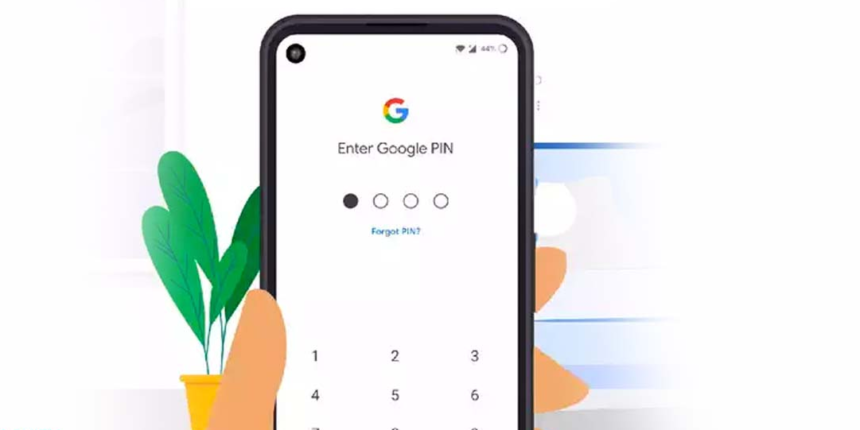
To change your UPI PIN, open your UPI app like Google Pay, PhonePe, Paytm, or BHIM. Go to Bank Account → Select Account → Change UPI PIN. Enter your old PIN, then create a new 4- or 6-digit PIN and confirm it. Your new UPI PIN becomes active instantly in most cases. Never share your PIN with anyone, even bank staff or customer care.
Forgot your UPI PIN? Want to change it for better security? You are not alone. Today, millions of Indians use UPI for everyday payments at tea stalls, grocery shops, online shopping, rent, metro recharges, and college fees. According to the National Payments Corporation of India, UPI handles billions of transactions every month, making it one of India’s most used payment systems.
But many users still struggle with simple issues like forgetting their PIN, entering the wrong PIN multiple times, or not knowing how to change UPI PIN safely. If you are searching for how to change UPI PIN, this guide will help you step-by-step in very simple language. Whether you use Google Pay, PhonePe, or Paytm, the process is quick and easy.
In this CareerGrowKaro guide, you will learn how to change UPI PIN, reset it if forgotten, avoid common mistakes, improve payment security, and solve common UPI PIN errors without visiting the bank.
Next Step: Keep your debit/ATM card nearby because some apps may ask for card verification while changing your PIN.
What Is a UPI PIN?
A UPI PIN is a secure 4-digit or 6-digit code used to authorize payments made through UPI apps. Whenever you send money, pay bills, recharge your phone, or scan a QR code, you must enter this PIN to complete the transaction.
You can think of a UPI PIN like an ATM PIN but specifically designed for digital payments through apps like Google Pay, PhonePe, and Paytm.
Your UPI PIN is extremely important because it protects your bank account from unauthorized access. Even if someone knows your phone number or UPI ID, they cannot send money without your PIN.
Why Is UPI PIN Important?
- Protects your money from fraud and unauthorized payments
- Required for sending money through UPI
- Keeps your linked bank account secure
- Works as the final verification step before payment
- Helps prevent accidental or fake transactions
Always keep your UPI PIN private and avoid using easy combinations like 1234 or your birth year.
Why Should You Change Your UPI PIN?

Changing your UPI PIN regularly helps protect your bank account and reduces the chances of fraud. Many people keep the same PIN for years, which can become risky, especially if the phone is lost, shared, or hacked. Understanding how to change UPI PIN is important for keeping your online payments safe and secure. Whether you use Google Pay, PhonePe, or Paytm, learning how to change UPI PIN regularly can help prevent unauthorized access and payment issues. Below are the most common reasons why users decide to change their UPI PIN.
1. Forgot Old PIN
Many users forget their UPI PIN after changing phones, resetting apps, or not using UPI for a long time. This is very common among students and parents who create a PIN once and rarely update it. In such situations, knowing how to change UPI PIN becomes very important because without the correct PIN, UPI payments and money transfers cannot be completed
For example, Aman from Kanpur changed his phone and could not remember the PIN he created two years earlier. In such cases, resetting or changing the UPI PIN becomes necessary to continue making payments.
2. Security Concerns
If someone accidentally sees your UPI PIN while you are making a payment, your account security may be at risk. This can happen in crowded places like markets, metro stations, or shops. Changing the PIN immediately helps prevent misuse of your bank account. It is also a smart step if you recently shared your phone with someone or used your UPI app on another device temporarily.
3. Suspicious Activity
Strange payment requests, unknown collect requests, or unexpected login alerts may indicate suspicious activity on your account. Even if no money is lost, changing your UPI PIN quickly adds an extra layer of security. Some fraudsters try to trick users through fake calls or payments. requests. Learning how to change UPI PIN during such situations is important because it helps prevent unauthorized access to your bank account. If you notice anything unusual, understanding how to change UPI PIN quickly through your UPI app can reduce fraud risks and improve payment security.
4. Easy-to-Guess PIN
Many people use simple PINs like 1234, 0000, their birth year, or mobile number digits because they are easy to remember. However, these PINs are also easy for scammers or others to guess. A weak PIN increases the risk of unauthorized access, especially if your phone gets stolen. Using a strong and unique UPI PIN makes your digital payments much safer and harder to crack.
5. Shared Device Use
In many Indian families, one phone is shared among parents, siblings, or relatives. If multiple people use the same device, your UPI app and payment details may become accessible to others. Changing your UPI PIN regularly adds extra safety and reduces the risk of accidental or unauthorized transactions. Knowing how to change UPI PIN helps you secure your bank account even when your device is used by family members or coworkers. Learning how to change UPI PIN regularly can improve payment safety and protect your money from misuse or accidental transfers.
Next Step: Open your UPI app now and check whether your current PIN is strong, secure, and easy for only you to remember.
How to Change UPI PIN on Any App

If you are wondering how to change UPI PIN, the good news is that the process is almost the same on most UPI apps in India. Whether you use Google Pay, PhonePe, Paytm, or BHIM, you can complete the process in just a few minutes.
Below is a simple step-by-step guide on how to change UPI PIN safely and correctly.
Step 1: Open Your UPI App
The first step in how to change UPI PIN is opening the UPI app linked to your bank account. Make sure you are using the same mobile number that is registered with your bank.
Popular apps include:
- Google Pay
- PhonePe
- Paytm
- BHIM
Before continuing, ensure your internet connection is stable because weak connectivity may interrupt the PIN update process.
Action Step: Update your UPI app to the latest version before changing your PIN.
Step 2: Go to the Bank Account Section
The next step in how to change UPI PIN is finding the bank account settings inside the app. In most apps, this section is available after tapping your profile picture or menu icon.
You may find options such as the following:
- Bank Accounts
- Payment Settings
- UPI Settings
- Linked Accounts
This section shows all bank accounts connected to your UPI app. Make sure you select the correct account if you use multiple bank accounts.
For example, if your SBI and HDFC accounts are both linked, choose the account whose PIN you want to change.
Action Step: Double-check the bank name before moving to the next step.
Step 3: Select Your Linked Bank Account
Once you open the bank account section, tap the specific account where you want to update your UPI PIN. This is an important part of how to change UPI PIN because every bank account has its own PIN settings.
After selecting the account, you may see options like:
- Check balance
- Change PIN
- Reset PIN
- Remove account
Some apps also show your UPI ID and registered mobile number here.
If the wrong account is selected, you may accidentally change the PIN for another bank account.
Action Step: Verify the last few digits of your bank account before proceeding.
Step 4: Click on “Change UPI PIN.”
Now tap the option called
- Change PIN
- Reset PIN
- Forgot PIN
The wording may differ depending on the app you use. This is the main step in how to change UPI PIN because it opens the PIN update screen.
If you remember your old PIN, choose “Change PIN.” If you forgot it completely, use the “Forgot PIN” option instead.
Many users accidentally click the wrong option and get confused during verification.
Action Step: Choose “Change PIN” only if you remember your current PIN.
Step 5: Enter Your Current UPI PIN
To continue the process of how to change UPI PIN, the app will ask for your current or old PIN. This is done for security purposes to confirm that you are the real account owner.
Carefully enter the correct PIN. If you enter the wrong PIN multiple times, your bank may temporarily block UPI transactions for safety.
Avoid typing your PIN in crowded public places where someone may see it.
For example, entering the wrong PIN repeatedly at a busy shop can lock your UPI access temporarily.
Action Step: Enter your old PIN slowly and carefully to avoid errors.
Step 6: Create a New UPI PIN
After verification, the app will ask you to create a new PIN. This is one of the most important parts of how to change UPI PIN because a strong PIN protects your money from fraud.
Choose a PIN that is:
- Hard to guess
- Different from your ATM PIN
- Not based on your birth year or phone number
Good examples:
- 4829
- 7614
Avoid:
- 1234
- 0000
- 2005
A strong UPI PIN improves the security of your digital payments.
Action Step: Create a unique PIN that only you can remember easily.
Step 7: Confirm the New PIN
The final step in how to change UPI PIN is confirming the new PIN by entering it again. This ensures you did not make any typing mistakes while creating it.
Once both entries match, your new UPI PIN becomes active immediately in most cases.
You can now use it for:
- Sending money
- Paying bills
- QR code payments
- Mobile recharges
- Online shopping
To test whether the PIN works correctly, try a small transaction like ₹1 or check your account balance through the app.
Action Step: Test your new PIN with a small payment to confirm everything works properly.
How to Change UPI PIN Without Debit Card
Many users search for how to change their UPI PIN without a debit card, especially after losing their ATM card or forgetting where they kept it. This situation is common among students, senior citizens, and users who recently changed banks or cards.
The answer depends on whether you remember your old UPI PIN or not.
Yes—If You Remember Your Old PIN
If you still know your current UPI PIN, then how to change UPI PIN without a debit card becomes very simple. Most UPI apps allow you to directly change the PIN without asking for debit card details.
You only need to:
- Open your UPI app
- Go to linked bank account settings
- Tap “Change UPI PIN.”
- Enter old PIN
- Create a new PIN
In this case, debit card verification is not required because the app already verifies you through your existing PIN.
For example, if Priya from Bhopal remembers her current PIN, she can easily change it on Google Pay without using her ATM card.
Action Step: If you remember your old PIN, change it directly through the app settings today.
No—If You Forgot Your Old PIN
If you forgot your current PIN completely, then how to change UPI PIN without a debit card becomes more difficult. Most Indian banks require debit card verification to reset a forgotten UPI PIN.
This security step helps banks confirm that the real account holder is requesting the reset.
Usually, you need:
- Last 6 digits of debit card
- Expiry date
- Registered mobile number
Without these details, the reset option may not work.
For safety reasons, banks do not allow PIN resets easily because scammers may misuse accounts if verification is weak.
Action Step: Check whether your debit card is active and linked to your bank account.
Difference Between Change PIN and Reset PIN
Understanding this difference is important because choosing the wrong option can waste time, create verification errors, or even temporarily block your UPI access after multiple failed attempts.
If you are learning how to change UPI PIN, this section will help you clearly understand when to use “Change PIN” and when to use “Reset PIN.”
| Feature | Change PIN | Reset PIN |
| Old PIN Needed | Yes | No |
| Debit Card Needed | Usually no. | Yes |
| Used When | You remember your PIN | You forgot your PIN |
| Verification Method | Current PIN | Debit card + OTP |
Both Change UPI PIN and Reset UPI PIN are useful features, but they are meant for different situations. If you remember your current PIN, changing it is the quickest option. If you forgot it completely, resetting the PIN using debit card verification is the correct method.
Real Indian Example: How Saurabh from Kota Solved His UPI PIN Problem
Saurabh, a 20-year-old student from Kota, used Google Pay daily for food delivery, recharge, and splitting hostel expenses. One day, his payment failed during a medicine purchase because he forgot his UPI PIN.
At first, he panicked because he thought his bank account was blocked. Then he opened Google Pay and tapped “Forgot UPI PIN.” He entered the last 6 digits of his SBI debit card, verified the OTP, and created a new PIN in less than 10 minutes.
Later, he also enabled a fingerprint lock and stopped using his birth year as a PIN.
This small step improved his account safety and helped him avoid future payment stress.
Next Step: If your PIN is weak or old, change it today instead of waiting for a failed transaction.
Magic Box: Avoid UPI Fraud Mistakes
Problem:
Many students and small business owners accidentally share OTPs or use weak UPI PINs, leading to fraud and blocked accounts.
CareerGrowKaro Solution:
CareerGrowKaro shares simple digital safety guides for students, freelancers, and beginners using UPI, online banking, and earning apps.
Action Step:
Before making your next payment, review your app security settings and update your UPI PIN if it’s weak or old.
FAQs
1. How many times can I enter the wrong UPI PIN?
Most banks allow 3–5 wrong attempts. After that, your UPI services may get temporarily blocked for security reasons. Usually, you need to wait some hours or reset your PIN again. Avoid repeated guessing because it may trigger fraud protection.
2. Can I use the same PIN for all UPI apps?
Yes. Your UPI PIN is linked to your bank account, not the app. If the same bank account is linked on multiple apps, the PIN remains the same across those apps.
3. Is the UPI PIN the same as the ATM PIN?
No, ATM PIN and UPI PIN are different. While some people keep them similar, it is safer to use separate PINs for better security.
4. Can someone steal money if they know my UPI ID?
No. A UPI ID alone is not enough. Payments require your UPI PIN approval. Never share your PIN or OTP with anyone.
Conclusion
Now you know exactly how to change UPI PIN on popular apps like Google Pay, PhonePe, and Paytm. Whether you want better security, forgot your old PIN, or simply want to update an easy-to-guess code, the process is simple and can be completed in just a few minutes.
To quickly recap how to change UPI PIN:
- Open your UPI app
- Select your linked bank account
- Choose “Change PIN” or “Forgot PIN.”
- Verify details if needed
- Create a strong new PIN
Using a secure PIN is one of the easiest ways to protect your bank account from fraud and unauthorized payments. Avoid weak combinations like birth years, repeated digits, or mobile numbers. A strong PIN keeps your online payments safer and stress-free.
At CareerGrowKaro, we encourage students, beginners, and first-time digital payment users to learn basic online banking safety along with understanding how to change UPI PIN correctly.