Introduction
Last week, my friend Ankit from Satna missed his scholarship deadline. Why? His marksheet was at home, 200 km away. If only he knew about the 3 free govt apps for students that solve exactly such problems! Managing mark sheets, filling admission forms, checking results, or paying exam fees — students face many small but stressful tasks.
The good news? The Indian government provides safe, trusted, and entirely free govt apps for students that make life simpler, whether you’re in a metro or a small town.
Why Choose These Free Govt Apps for Students?
So why choose these free govt apps for students? They’re trusted & official (backed by the government), completely free (no hidden charges), and accepted everywhere — from colleges to banks. They are the most reliable digital tools you can have.
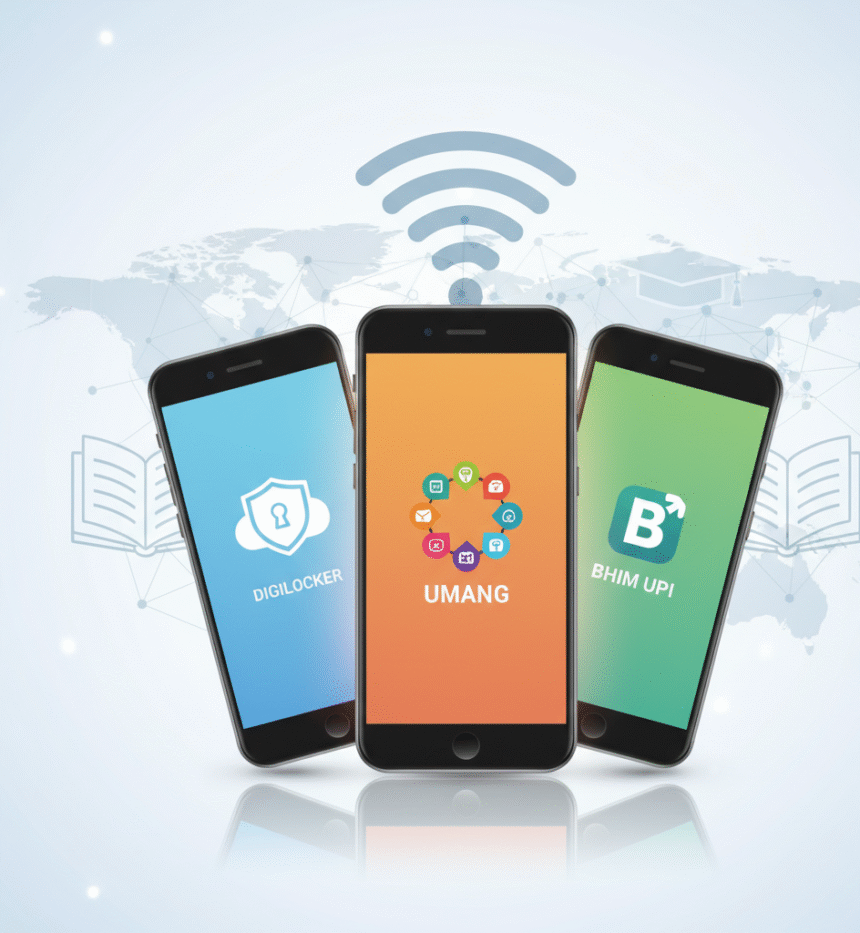
These top 3 free govt apps for students in India are official, easy to use, and backed by ministries. Let’s dive in!
App #1: DigiLocker — The Best Govt App for Student Documents
One-Line Magic: Store marksheets, certificates, Aadhaar, and IDs safely online — access and share verified copies anytime, anywhere!
What It Does
- A secure cloud-based locker launched by MeitY under the Digital India initiative.
- Fetches academic records directly from boards/universities via NAD (National Academic Depository).
- Allows e-signing and sharing verified files with colleges or employers — no more photocopies!
Why Students Need It
As a cornerstone among the free govt apps for students, DigiLocker ends the hassle of running to cyber cafes or carrying bundles of papers:
- Instant access to CBSE, state board, and university mark sheets during admissions.
- Backup against loss or damage of originals.
- Colleges accept DigiLocker links as verified documents.
- CBSE’s recent access code system allows students to retrieve results using their roll numbers (Times of India).
“DigiLocker saved me hours during admissions — no photocopy queues.” — Student, Kanpur.
How to Set Up DigiLocker (5 Simple Steps)
- Install from Play Store/App Store or visit digilocker.gov.in.
- Sign up using your mobile number and Aadhaar (optional) or student roll number.
- Link your board/university and fetch documents automatically.
- Upload older certificates as scanned PDFs.
- Use the “Share” option to send secure, verified links.
Pro Tip: CBSE students can retrieve their marksheets without an Aadhaar using their roll number and year.
Safety First: Never share OTPs, set a strong device lock (fingerprint recommended), and use e-sign only for official requests.
App #2: UMANG — One App for 1200+ Government Services
One-Line Benefit: Access scholarships, exam results, certificates, skill courses, and more — all in one convenient place!
What It Does
- UMANG (Unified Mobile Application for New-age Governance) integrates central and state services.
- Covers education, skills, employment, and certificates from various ministries.
- Search and use services like scholarship applications or result checks effortlessly.
Why Students Need It
UMANG is like your digital government office, making it one of the most versatile free govt apps for students available.
- Track and apply for scholarships (central/state).
- Check exam results and admission forms for boards/entrance tests.
- Access employment schemes, skill training via NSDC, and job notifications.
- Get state-specific services like domicile or caste certificates.
Student Hack: Add your state tab first — unlock local scholarships and services immediately!
How to Set Up UMANG (5 Simple Steps)
- Install from Play Store/App Store or visit web.umang.gov.in.
- Register with your mobile number and set MPIN (like an ATM PIN).
- Browse categories like “Education,” “Skills,” or “Employment.”
- Search for specifics (e.g., “scholarship” or “board results”).
- Save favorites to your home screen for quick access.
Hidden Features Students Miss: PAN card applications, Skill India courses, apprenticeship opportunities, and multilingual support for easier navigation.
App #3: BHIM — Official UPI App for Safe Payments
One-Line Truth: Send/receive money instantly and securely via UPI — ideal for fees, books, stipends, and pocket money!
What It Does
- Developed by NPCI (National Payments Corporation of India), BHIM enables seamless UPI transactions.
- Works with any bank account for instant transfers, bill payments, and recharges.
- Supports features like UPI Lite for small, quick payments.
Why Students Need It
BHIM simplifies money matters without carrying cash:
- Pay application fees, hostel charges, or coaching classes quickly.
- Split expenses with friends or receive freelance payments.
- Get stipends/scholarships directly into your account.
- Safer and faster than traditional methods, with no minimum balance required.
Money Tip: You can link multiple bank accounts and use them alongside apps like Google Pay!
How to Set Up BHIM (5 Simple Steps)
- Install from Play Store/App Store.
- Verify mobile number linked to your bank account.
- Create UPI PIN using debit card details.
- Set your UPI ID (e.g., yourname@upi).
- Test with a small transfer or “Collect” request.
UPI Safety Rules: Never share UPI PIN or OTP, double-check recipients, use UPI Lite for payments under ₹200, and add trusted beneficiaries for speed.
Smart Student Workflow: Use All 3 Together
Here’s a practical example of how to use these free govt apps for students together. Priya from Bhopal streamlines her routine:
- Fetch marksheet from DigiLocker for applications.
- Apply for scholarship and check status via UMANG.
- Receive stipend or pay fees through BHIM.
Together, these apps save time, reduce stress, and keep everything digital!
To help you decide at a glance, here’s a quick comparison of these powerful free govt apps for students:
Quick Comparison
| App | Main Purpose | Best Feature for Students |
| DigiLocker | Document storage | Instant marksheet access & verified sharing |
| UMANG | Government services | Scholarship tracking & exam results |
| BHIM | Digital payments | Safe UPI transfers for fees/stipends |
Privacy & Security Note
Always download from official sources to stay safe:
- DigiLocker: Managed by MeitY, integrated with NAD — data encrypted.
- UMANG: Official hub for e-services — secure and ad-free.
- BHIM: NPCI-backed with bank-level security.
Avoid third-party APKs or unofficial sites. Use screen locks, don’t share OTPs, and update apps regularly. Your data is protected to the highest government standards.
Conclusion
These three free govt apps for students aren’t just tools — they’re game-changers for your student journey for your student journey, helping you keep documents safe, access services easily, and handle payments securely. No more missed deadlines or stressful queues!
👉 Install DigiLocker, UMANG, and BHIM today — it takes just 15 minutes!
Quick Download Links:
Bonus: Download our free “App Setup Checklist” PDF with screenshots, tips, and a one-page guide!
Have questions? Drop a comment below or check our detailed guides!
FAQs — Your Questions Answered
1. Are these government apps really free?
Yes, all three on this list of free govt apps for students — DigiLocker, UMANG, and BHIM — are completely free, official, and without hidden charges.
2. Can I use DigiLocker without Aadhaar?
Yes! Students can fetch documents using roll numbers, though Aadhaar linking unlocks more features like automatic fetching (NAD).
3. Is BHIM safe for online payments?
Absolutely! It’s NPCI’s official UPI app with bank-level security — never share your UPI PIN or OTP.
4. Which app helps check scholarship status?
UMANG is ideal; search for “scholarship” to find central/state statuses and applications.
5. Do colleges accept DigiLocker documents?
Yes, most institutions accept verified DigiLocker links as official proof.
6. How to use UMANG for exam results?
Open UMANG → Education category → Select board → Enter roll number. Covers CBSE, state boards, and entrance exams.
7. What’s the benefit of government apps vs. private ones?
Official integration with databases, guaranteed privacy, no ads, and free forever access.
8. Can I link multiple bank accounts to BHIM?
Yes, you can easily switch between accounts within the app.
🚀 Remember: These apps will save you time, money, and stress — install them and thank yourself later!