
To check ARN status for GST, visit the official GST Portal, go to Services → Registration → Track Application Status, enter your ARN (Application Reference Number) and CAPTCHA, and click “Search.”
- What Is ARN in GST?
- How to Check ARN Status Online?
- How Long Does GST ARN Approval Take?
- Why Does GST ARN Approval Get Delayed?
- What Do Different ARN Status Messages Mean?
- Can you check ARN status without login?
- How to Download GST Certificate After ARN Approval?
- Real Indian Example: How ARN Tracking Saved a Small Business
- Magic Box: Avoid GST Delays Like Smart Business Owners
- FAQs
- Conclusion
Your ARN status shows whether your GST application is:
- Pending for processing
- Approved
- Rejected
- Sent back for clarification
This helps business owners, freelancers, and students avoid delays in GST registration, refunds, and compliance.
Many small business owners, freelancers, and first-time entrepreneurs panic after applying for GST because they do not know how to check ARN status online. After submitting documents, they keep waiting for approval without understanding whether their application is approved, pending, or stuck for clarification. This confusion is very common in Tier 2 and Tier 3 cities where people mostly depend on agents, cyber cafés, or local consultants for GST-related work.
The good news is that learning to check ARN status is actually simple and takes only a few minutes. By tracking your ARN regularly, you can quickly identify issues like document mismatch, pending clarification, or application rejection before it becomes a bigger problem. Many users lose valuable business time simply because they never monitor their GST application properly.
In this detailed guide by CareerGrowKaro, you will learn:
- What “ARN” means in GST
- How to check ARN status step by step
- Common tracking errors and solutions
- Real Indian examples
- What to do if your GST status gets stuck
By the end, you will know exactly how to track your GST application confidently without depending completely on others.
What Is ARN in GST?
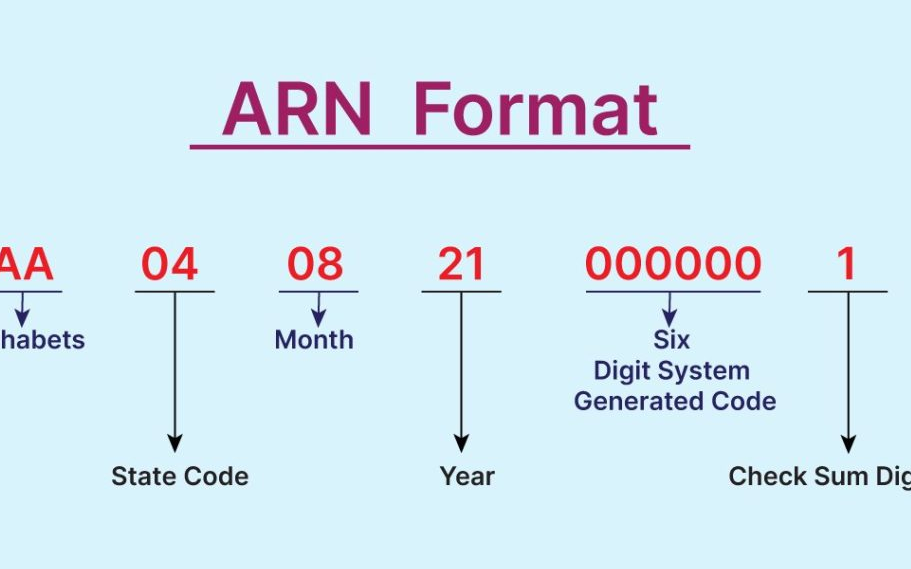
ARN stands for Application Reference Number. It is a unique tracking number generated after you successfully submit any GST-related application on the GST portal. This number helps taxpayers monitor the progress of their application online.
Whenever you apply for:
- GST registration
- GST refund
- GST amendment
- LUT (Letter of Undertaking)
- Cancellation of GST registration
The GST system automatically creates an ARN.
A typical ARN looks like this:
AA070625123456X
You can think of an ARN like a courier tracking number. Just like you track a parcel delivery, you can use ARN to check ARN status and see what is happening with your GST application.
How to Check ARN Status Online?
If you recently applied for GST registration, a refund, or an amendment, it is important to regularly check ARN status online. Many people wait for weeks without realizing that their application may require clarification or additional documents.
Follow these simple steps to check ARN status correctly on the GST portal.
Step 1: Open the GST Portal
Visit the official GST Portal using your mobile phone or computer. Make sure you use the correct government website and avoid fake third-party portals. A stable internet connection helps the page load properly. Before you check ARN status, keep your ARN number ready to avoid typing mistakes later.
Next Step: Once the GST portal homepage opens, move to the Services section from the top menu.
Step 2: Click on “Services.”
On the GST portal homepage, you will see different menu options like Home, Services, GST Law, and Help. Click on the “Services” tab carefully. This section contains all GST-related facilities, including registration tracking, refund services, and amendment requests. To successfully check ARN status, you must enter the correct section on the portal.
Next Step: After opening Services, look for the Registration option in the dropdown menu.
Step 3: Select “Registration.”
Under the Services menu, click on “Registration.” This area contains all options related to GST registration and application tracking. Many first-time users accidentally choose the wrong menu, which creates confusion. If you want to check ARN status for GST registration, refund, or amendment, “Registration” is the correct category to select.
Next Step: Now click on the “Track Application Status” option available in the Registration menu.
Step 4: Click “Track Application Status.”
After entering the Registration section, select “Track Application Status.” This page is specially designed to help users check ARN status online without needing GST login credentials. One major advantage is that even if your CA or consultant filed the application, you can still independently track your GST progress using the ARN.
Next Step: Keep your ARN number ready before entering details on the tracking page.
Step 5: Enter Your ARN Number
Carefully type your ARN exactly as provided after GST application submission. ARN numbers usually contain letters and numbers together, such as AA070625123456X. Even a small typing mistake can show an invalid ARN error. To accurately check ARN status, copy-paste the ARN from your email or SMS whenever possible.
Next Step: After entering the ARN, complete the captcha verification shown on the screen.
Step 6: Fill the Captcha Code
The GST portal asks users to complete a captcha for security verification. Enter the captcha exactly as displayed, including capital letters if required. Sometimes the captcha may not load properly due to slow internet or browser issues. If this happens, refresh the page and try again before attempting to check ARN status once more.
Next Step: After captcha verification, click the Search button to view your GST application status.
Step 7: Click on “Search.”
Once you click the Search button, the GST portal will instantly display your application details. You can now check ARN status and see whether your application is approved, pending, rejected, or waiting for clarification. This step helps you take quick action if additional documents are needed and prevents unnecessary GST delays.
Next Step: If your application shows “Pending for Clarification,” upload the required documents immediately to avoid rejection.
How Long Does GST ARN Approval Take?

After submitting a GST application, many business owners repeatedly check ARN status because they are unsure how long approval normally takes. Some applications are approved quickly, while others may remain pending due to verification or document issues. Understanding the normal processing timeline helps you avoid panic and take action at the right time.
Average GST ARN Processing Time
The approval time depends on the type of GST application submitted. Here are the usual timelines:
| Application Type | Expected Time |
| GST Registration | 3–7 working days |
| GST Refund ARN | 15–60 days |
| LUT Application | 1–3 working days |
Most applicants regularly check ARN status during this period to monitor updates from the GST department.
For example, a freelancer applying for GST registration may receive approval within one week if all documents are correct. On the other hand, GST refund applications often take longer because officers manually verify invoices and tax records.
Why Does GST ARN Approval Get Delayed?
Sometimes users continuously check ARN status but see no progress for several days. This usually happens because of verification or portal-related issues.
1. High Application Volume: During peak business periods or financial year-end, GST officers receive a large number of applications. This increases processing time.
2. Document Mismatch: If Aadhaar, PAN, address proof, or business details do not match properly, the officer may stop processing your application.
3. Manual Officer Verification: Some GST applications require physical or manual verification by officers, especially when business addresses or bank details appear suspicious.
4. Technical Issues on GST Portal: Occasionally, portal errors or server downtime can delay updates even when your application is under review.
Example
Sandeep from Patna applied for GST registration for his electronics store. Even after 6 days, he could not see approval when he tried to check ARN status. Later, he found that his electricity bill address did not match his Aadhaar details. After correction, approval came within 3 days.
Next Step: Double-check all submitted documents if your GST status remains unchanged for many days.
What Do Different ARN Status Messages Mean?
When people check ARN status on the GST portal, they often get confused by technical status messages. Many users do not understand whether their GST application is progressing normally or whether immediate action is needed.
Understanding these ARN status updates is important because one ignored notification can delay your GST registration, refund, or amendment request. Instead of panicking, you should know exactly what each status means and what action to take next.
| ARN Status | Meaning | What You Should Do |
| Pending for Processing | Your GST application is under review by the GST officer. Verification is still ongoing. | Wait for 3–7 working days and regularly check ARN status for updates. |
| Pending for Clarification | The GST officer needs additional documents or corrections before approval. | Upload requested documents quickly to avoid rejection or delay. |
| Approved | Your GST application has been successfully accepted. | Download your GST certificate and save copies safely. |
| Rejected | Your application was denied due to incorrect or incomplete information. | Correct mistakes and submit a fresh GST application. |
| Withdrawn | The GST application was cancelled by the applicant before approval. | Apply again if GST registration or service is still required. |
Many small business owners keep waiting without realizing their application needs action. When you regularly check ARN status, you can quickly identify problems like document mismatch, address errors, or pending clarification notices.
For example, if your status shows “Pending for Clarification,” delaying your response may lead to rejection. On the other hand, an “Approved” status means you can immediately start downloading your GST certificate and continue business activities legally.
In many Tier 2 and Tier 3 cities, people depend completely on agents for GST updates. But learning to check ARN status yourself gives you better control over your application and helps avoid unnecessary delays.
Can you check ARN status without login?
Yes, You Can
One very useful feature that many people do not know is that you do not need GST login credentials to check ARN status online. Many competitors miss this point, but it is extremely helpful for small business owners, students, and first-time GST users who may not have direct access to the GST account.
To check ARN status without logging in, you only need the following:
- ARN number
- Internet connection
- Captcha verification
That’s it. You can track your GST application directly from the GST portal without entering username or password details.
Why Is This Feature Helpful?
In many Tier 2 and Tier 3 cities, GST applications are often filed through:
- CA offices
- Cyber cafés
- GST consultants
- Friends or relatives
Because of this, applicants sometimes do not know their GST login details. However, they can still check ARN status independently using the ARN number received after application submission.
This gives users more transparency and control over their GST process.
Example
Pooja from Meerut applied for GST registration through a local cyber café for her handmade jewelry business. The café owner delayed giving updates, so she decided to check ARN status herself using her ARN number. She quickly discovered that a clarification notice was pending and uploaded the required document on time.
Without ARN tracking, her application could have been rejected.
How to Download GST Certificate After ARN Approval?
Once you check ARN status and see that your GST application status is marked as “Approved,” the next important step is downloading your GST registration certificate. This certificate acts as official proof that your business is registered under GST in India.
Many users successfully check ARN status but later get confused about where to download the certificate from the GST portal. The process is simple if you follow the correct steps carefully.
Step 1: Login to the GST Portal
First, visit the official GST Portal and log in using your GST username and password. Make sure you use the same credentials created during GST registration.
Before logging in, it is smart to check ARN status once again to confirm that your application has been fully approved and not marked for clarification.
Step 2: Go to “Services.”
After entering the GST dashboard, locate the “Services” option on the top menu bar. This section contains all GST-related features such as registration updates, returns, refunds, and certificates.
Many first-time users struggle to find the certificate option even after they successfully check ARN status online. The Services tab is where all important GST account tools are available.
Step 3: Click on “User Services.”
Inside the Services menu, click on “User Services.” This section contains account-related utilities including certificate downloads, notices, and profile settings.
Users who regularly check ARN status should remember that approval alone is not enough. You must also download and save your GST certificate because banks, marketplaces, and clients may ask for it as proof of GST registration.
Step 4: Select “View/Download Certificates.”
In the User Services section, click on “View/Download Certificates.” The GST portal will display your official GST registration certificate in PDF format.
This document contains:
- GSTIN number
- Business name
- Registration date
- Business address
- Type of taxpayer
Many people forget this step after they check ARN status, which later creates problems while opening current bank accounts or onboarding onto e-commerce platforms.
Step 5: Download GST Certificate PDF
Finally, download the GST certificate PDF and save multiple copies:
- Mobile phone
- Laptop
- Cloud storage
- Printed copy
After you check ARN status and receive approval, downloading the certificate immediately helps avoid future urgency or portal access issues.
Real Indian Example: How ARN Tracking Saved a Small Business
Neha, a home baker from Kanpur, applied for GST registration because her Instagram cake business started getting bulk wedding orders.
She submitted documents through a local cyber café and waited for approval. After 8 days, nothing happened. The café owner told her to “wait more.”
Neha then learned how to check ARN status herself. She found her application was “Pending for Clarification” because her Aadhaar address did not match her rent agreement.
She quickly uploaded the following:
- Updated Aadhaar copy
- Electricity bill
- Rent agreement
Within 72 hours, her GST application got approved.
Because she tracked her ARN on time:
- She avoided rejection
- Started invoicing legally
- Accepted bigger catering orders
- Opened a business current account
This small step helped her turn a side hustle into a proper business.
Magic Box: Avoid GST Delays Like Smart Business Owners
Problem:
Most students, freelancers, and small shop owners do not understand GST status updates and miss clarification notices.
CareerGrowKaro Solution:
CareerGrowKaro regularly publishes:
- GST guides
- Freelancing tips
- Online income resources
- Government portal tutorials
- Career-building content for Tier 2/3 India
CTA:
Bookmark CareerGrowKaro and learn practical digital skills that actually help you earn and grow.
FAQs
1. What is the ARN number in GST?
ARN stands for Application Reference Number. It is generated after submitting GST-related applications like registration, refund, or amendments. It helps users track the progress of their application online.
2. How can I check ARN status without logging in?
You can visit the GST portal and use the “Track Application Status” feature. Enter your ARN and captcha. Login is not required for tracking status.
3. How many days does GST ARN approval take?
Most GST registrations are approved within 3–7 working days. However, if clarification is required, approval may take longer depending on document verification.
4. What should I do if ARN status is pending clarification?
Upload requested documents as soon as possible through the GST portal. Delayed responses may lead to rejection of the GST application.
Conclusion
Learning how to check ARN status is an important skill for every small business owner, freelancer, online seller, and student entrepreneur in India. Many people lose valuable time because they depend completely on agents or wait blindly without monitoring their GST application properly.
When you regularly check ARN status, you can quickly identify issues like pending clarification, document mismatch, or approval delays before they become bigger problems. This helps you avoid rejection, business interruptions, and unnecessary stress.
A simple habit of checking your ARN updates can save days or even weeks of delay in getting your GST registration or refund approved. Whether you run a local shop, freelance online, or sell products on Instagram or marketplaces, knowing how to check ARN status gives you better control over your business process.
For more easy GST guides, freelancing tips, and career-building resources, visit CareerGrowKaro and continue building practical digital skills step by step.