
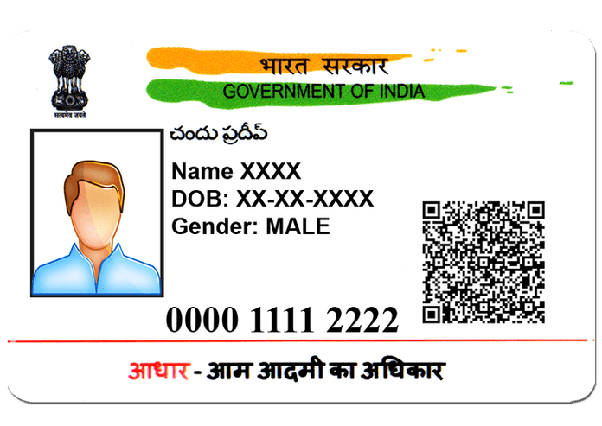
To use printaadhar online, visit the official UIDAI website, enter your Aadhaar number, VID, or Enrollment ID, verify with OTP, and download your e-Aadhaar PDF. You can then print it at home, at a cyber café, or order a PVC Aadhaar card online for ₹50. The process takes less than 10 minutes and works on both mobile and laptop.
Many students, job seekers, and small business owners in India urgently need Aadhaar for exams, bank accounts, SIM cards, scholarship forms, or government schemes. But losing the physical card or not knowing the correct process to download it can create confusion and stress. This is where printaadhar online becomes extremely useful. Instead of visiting multiple offices or paying agents unnecessarily, you can now download and print your Aadhaar card easily from your mobile or laptop within minutes.
This printaadhar online guide by CareerGrowKaro explains every step in simple language so that even first-time users can follow the process without difficulty. You will learn how to download e-Aadhaar, print it safely, unlock the PDF password, and even order a PVC Aadhaar card online. Whether you live in a metro city or a Tier 2/3 town, the printaadhar online process works across India and saves both time and money.
Before starting, make sure your Aadhaar-linked mobile number is active because OTP verification is required for downloading Aadhaar online securely.
What Is Printaadhar Online?
Printaadhar online means downloading, accessing, and printing your Aadhaar card digitally through the official UIDAI portal without visiting any government office. It allows users to get a valid digital copy of Aadhaar within minutes using a mobile number linked with Aadhaar.
Through the printaadhar online process, you can:
- Download your e-Aadhaar PDF instantly
- Print Aadhaar at home or cyber café
- Order a PVC Aadhaar card online
- Use digital Aadhaar for verification anytime
The downloaded e-Aadhaar is officially valid across India and can be used for bank KYC, exams, SIM verification, scholarships, and government schemes. This service is especially helpful for students and job seekers who urgently need identity proof but have lost or damaged their physical Aadhaar card.
According to UIDAI, India has more than 130 crore Aadhaar holders, making Aadhaar the most widely used identity document in the country. The printaadhar online facility has made accessing Aadhaar faster, safer, and more convenient for people living in both cities and small towns.
How to Download Aadhaar Online Step-by-Step
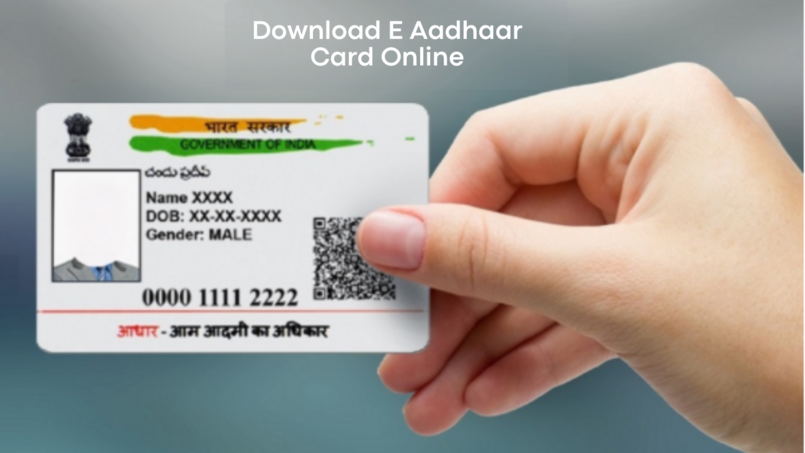
Downloading Aadhaar online may sound technical at first, but the process is actually simple if you follow the correct steps. Below is a complete step-by-step guide to help you complete the printaadhar online process safely, quickly, and without any confusion.
Step 1: Visit the Official UIDAI Website
To start the printaadhar online process, open the official UIDAI portal on your mobile or laptop. Always use the government website because many fake platforms and apps ask for Aadhaar details and may misuse personal information. Using the official portal keeps your data secure and ensures your printaadhar online request is processed safely without extra charges.
Why the Official Website Matters:
- Protects your Aadhaar information
- Prevents fraud and fake downloads
- Gives secure OTP verification
Click on “Download Aadhaar” to continue the printaadhar online process.
Step 2: Enter Aadhaar Details
After opening the portal, you must enter your Aadhaar details to continue the printaadhar online process. UIDAI allows users to log in using different options so that people can easily access Aadhaar even if they forget one detail. You can use your 12-digit Aadhaar number, Virtual ID (VID), or Enrollment ID received during Aadhaar registration. This makes the printaadhar online process simple and accessible for everyone.
Once the correct information is entered, UIDAI sends an OTP to your registered mobile number for identity verification before allowing the Aadhaar download.
Login Options Available:
- Aadhaar Number: Your 12-digit Aadhaar number
- VID: Virtual ID linked with Aadhaar
- Enrollment ID: Number given during Aadhaar registration
Complete OTP verification carefully to continue the printaadhar online process.
Step 3: Verify OTP
UIDAI sends a one-time password (OTP) to your registered mobile number to confirm your identity. This is an important security step in the printaadhar online process because it prevents unauthorized people from downloading your Aadhaar card. OTP verification usually takes only a few seconds, but you should always keep your mobile nearby and never share the OTP with anyone.
Why OTP Is Important:
- Keeps Aadhaar secure
- Prevents unauthorized access
- Confirms your identity instantly
Download your Aadhaar PDF after successful verification.
Step 4: Download e-Aadhaar PDF
Once OTP verification is complete, your Aadhaar PDF file downloads instantly on your mobile or laptop. This digital Aadhaar is officially valid across India and can be used for banking, KYC, exams, SIM verification, scholarships, and government services. During the printaadhar online process, many users get confused because the downloaded PDF file is password-protected. UIDAI adds this security feature to protect your Aadhaar details from unauthorized access and misuse.
Use:
- First 4 letters of your name in CAPITAL letters
- Add your birth year
Example:
- Rahul Sharma, born in 2003 → Password: RAHU2003
- Neha Kumari, born in 1999 → Password: NEHA1999
Open the PDF file and print your Aadhaar safely to finish the printaadhar online process.
How to Order PVC Aadhaar Card Online
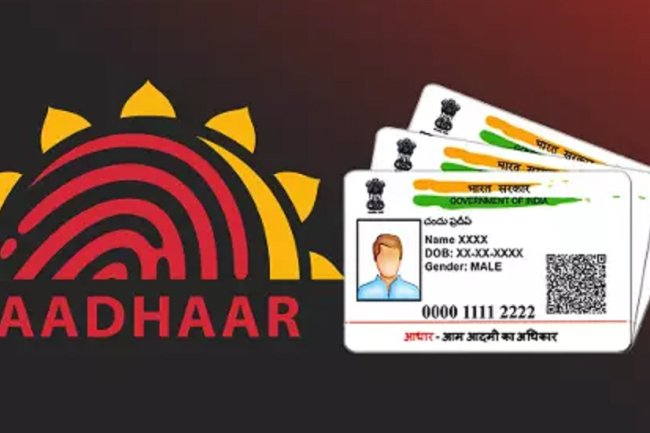
UIDAI also provides a plastic PVC Aadhaar card that is stronger and easier to carry than a normal paper Aadhaar. Many people prefer using the PVC version because it looks professional and lasts longer. Through the printaadhar online service, users can easily order a PVC Aadhaar card from home without visiting any office. The printaadhar online process for PVC cards is simple, affordable, and available across India.
Steps to Order PVC Aadhaar
1. Visit the official UIDAI website: Start the printaadhar online process by opening the official UIDAI website on your mobile or laptop. Always use the government portal for printaadhar online because fake websites may misuse your Aadhaar details or charge unnecessary fees for services that are officially available online.
2. Click on “Order Aadhaar PVC Card”: After opening the UIDAI portal, select the “Order Aadhaar PVC Card” option. This section is specially designed for users who want a durable plastic Aadhaar card. The printaadhar online PVC service helps users order a professional-looking Aadhaar card easily from home.
3. Enter Your Aadhaar Number: Now enter your 12-digit Aadhaar number, Virtual ID (VID), or Enrollment ID carefully. During the printaadhar online process, entering incorrect details may stop verification or delay the request. Double-check the information before moving to the next step for smooth processing.
4. Verify OTP on Your Registered Mobile Number: UIDAI sends an OTP to your Aadhaar-linked mobile number for security verification. This step protects your identity during the printaadhar online process and prevents unauthorized Aadhaar access. Always use your personal mobile number and never share OTP details with anyone.
5. Pay ₹50 Online: To complete the printaadhar online PVC request, pay ₹50 using UPI, debit card, credit card, or net banking. This fee includes printing and delivery charges. Once payment is successful, UIDAI starts processing your PVC Aadhaar card request immediately.
6. Submit the Request Successfully: After payment, review all details carefully and click the submit button to finish the printaadhar online process. UIDAI will generate a service request. Number (SRN) that helps you track the delivery status of your PVC Aadhaar card online anytime.
e-Aadhaar vs. PVC Aadhaar Card: Which One Should You Choose?
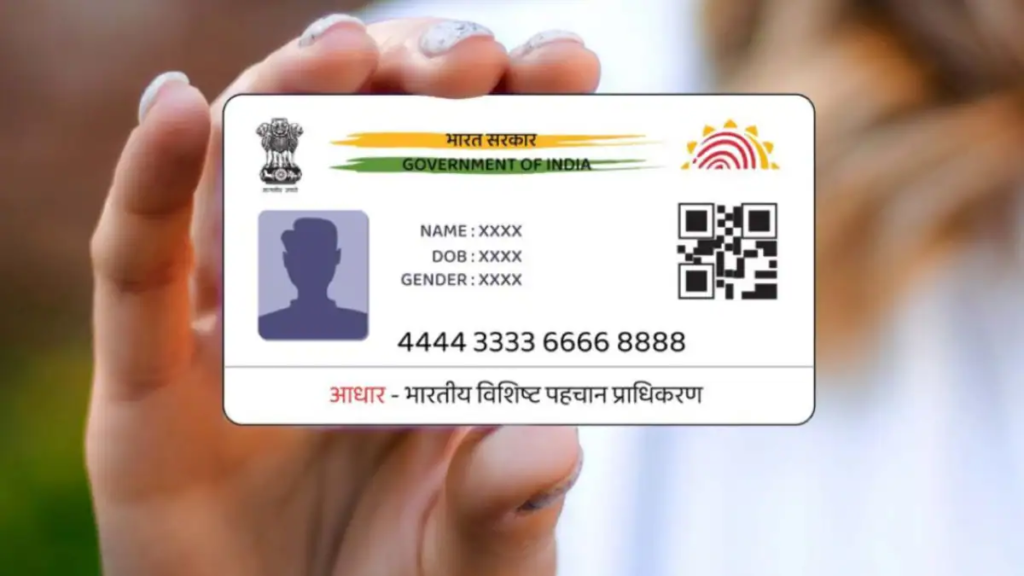
During the printaadhar online process, many users get confused between downloading an e-Aadhaar print and ordering a PVC Aadhaar card. Both versions are officially valid across India, but they are useful in different situations. If you need Aadhaar urgently, e-Aadhaar is faster. But if you want a durable card for daily use, PVC Aadhaar is a better option.
| Feature | e-Aadhaar Print | PVC Aadhaar |
| Cost | Mostly free | ₹50 |
| Delivery | Instant download | 7–15 days |
| Material | Paper | Plastic |
| Durability | Low | High |
| Best For | Urgent use | Daily carrying |
The printaadhar online facility gives users the flexibility to choose according to their needs and budget. Students preparing for exams often prefer e-Aadhaar because it is available instantly, while working professionals and travelers usually choose PVC Aadhaar for long-term use.
Both options available through the printaadhar online service are secure, valid, and accepted for KYC, banking, government schemes, and verification purposes. Before choosing, think about your urgency, budget, and how frequently you carry Aadhaar with you.
Is Printaadhar Online Safe?
Yes, the printaadhar online process is safe if you use only official UIDAI platforms and follow proper security practices. Since Aadhaar contains important personal information, users should stay alert while accessing the printaadhar online service on mobile phones, laptops, or public computers.
1. Never Share OTP
During the printaadhar online process, UIDAI sends an OTP to verify your identity before allowing Aadhaar download or PVC card requests. This OTP is private and should never be shared with friends, agents, cyber café staff, or unknown callers. Sharing OTP can give unauthorized people access to your Aadhaar details and increase fraud risk.
2. Avoid Random Aadhaar Apps
Many fake apps and websites claim to provide fast printaadhar online services but may misuse your personal data or charge unnecessary fees. Always use the official UIDAI portal for downloading or printing Aadhaar. Before entering any information, check that the website URL contains “gov.in” to ensure the platform is genuine and secure.
3. Use Trusted Cyber Cafés
If you do not have a printer or laptop, you may use a cyber café for the printaadhar online process. However, choose trusted shops only because Aadhaar files contain sensitive information. After downloading or printing Aadhaar, delete the PDF from the computer and clear browser history to keep your Aadhaar details protected from misuse.
4. Log Out After Download
After completing the printaadhar online process, always log out from the UIDAI portal, especially when using shared devices. Leaving your account open on public computers or cyber cafés may allow others to access your Aadhaar information. Logging out properly is a simple but important step for maintaining online security and privacy.
5. Important Fact About Aadhaar Safety
UIDAI never asks users to share Aadhaar OTP through phone calls, SMS, WhatsApp messages, or social media chats. If someone requests an OTP during the printaadhar online process, it is likely a scam attempt. Always remember that official UIDAI communication never asks for confidential OTP details or banking passwords from users.
Common Problems While Using Printaadhar Online
Even though the printaadhar online process is simple, many users still face small technical or verification issues while downloading or printing Aadhaar. Understanding these common problems and their solutions can help you complete the printaadhar online process quickly without stress or delays.
1. OTP Not Received: Many users face OTP delays during the printaadhar online process because of network issues, DND settings, or incorrect mobile numbers linked with Aadhaar. Wait for a few minutes, restart your phone, and retry the request carefully using a stable internet connection.
2. Forgot Aadhaar Number: Some people cannot continue the printaadhar online process because they forget their Aadhaar number or lose the Aadhaar slip. In such cases, use the “Retrieve Lost UID/EID” option available on the official UIDAI website to recover details securely.
3. PDF Password Not Working: During the printaadhar online process, users often enter the wrong PDF password while opening e-Aadhaar. Always use the first four letters of your name in CAPITAL letters along with your birth year without spaces to access the Aadhaar file successfully.
4. Website Not Opening Properly: Sometimes the UIDAI website may load slowly during the printaadhar online process because of heavy traffic or browser issues. Clear browser cache, switch to Chrome or Edge, and avoid peak hours to improve website performance and access Aadhaar services smoothly.
5. Mobile Number Not Linked: Users without an Aadhaar-linked mobile number cannot complete the printaadhar online OTP verification process. In this situation, visit your nearest Aadhaar Seva Kendra or Common Service Centre (CSC) to update your mobile number through biometric verification.
Real Indian Example
Anjali, a B.Com student from Indore, urgently needed Aadhaar for her scholarship verification after her original Aadhaar card got damaged during travel. Instead of visiting multiple government offices and waiting in long queues, she searched for printaadhar online and completed the entire process using her mobile phone from home.
Within just 10 minutes, she downloaded her e-Aadhaar PDF through the official UIDAI portal. She unlocked the file using the first four letters of her name and birth year password, then printed it from a nearby stationery shop for only ₹15. Later, she also ordered a PVC Aadhaar card online for ₹50 because she travels daily for coaching classes and wanted a durable Aadhaar card.
What Helped Anjali:
- Used the printaadhar online process instead of visiting Aadhaar offices
- Downloaded e-Aadhaar instantly through mobile phone
- Printed Aadhaar affordably from a nearby shop
- Ordered PVC Aadhaar for safer daily use
- Saved time, travel expenses, and unnecessary stress
The printaadhar online service helped Anjali complete her scholarship verification before the deadline without any difficulty.
Save your downloaded Aadhaar PDF in Google Drive or email it for emergency access anytime.
Magic Box
Problem:
Many students and job seekers panic after losing Aadhaar before exams, interviews, or government form submissions.
CareerGrowKaro Solution:
CareerGrowKaro regularly shares simple government guides, scholarship updates, digital skill tutorials, and career resources specially designed for Tier 2 and Tier 3 Indian students.
CTA:
Bookmark CareerGrowKaro and learn practical digital skills that save time, money, and stress.
FAQs
1. Is e-Aadhaar valid everywhere?
Yes. UIDAI states that e-Aadhaar is equally valid as a physical Aadhaar card for identity verification, KYC, and government services.
2. How much does Aadhaar printing cost?
Downloading Aadhaar online is free. Printing usually costs ₹5–₹20 at cyber cafés. PVC Aadhaar card ordering costs ₹50 officially.
3. Can I use Aadhaar on mobile without printing?
Yes. You can use the digital Aadhaar PDF or the mAadhaar app for many services.
4. How many times can I download Aadhaar online?
There is no fixed limit. You can download Aadhaar multiple times through the UIDAI portal.
Conclusion
Using printaadhar online is one of the fastest and most convenient ways to recover, download, print, or secure your Aadhaar card without visiting government offices repeatedly. Whether you are a student applying for scholarships, a job seeker attending interviews, a freelancer completing KYC, or a small business owner handling banking work, the printaadhar online process can save both time and effort during urgent situations.
In this guide, you learned:
- How to download Aadhaar online safely
- How to print e-Aadhaar correctly
- How to order a PVC Aadhaar card online
- Common problems and their solutions
- Important safety tips for Aadhaar protection
The best part about the printaadhar online facility is that it works across India and can be completed easily using a smartphone or laptop. Instead of paying unnecessary charges to agents or standing in long queues, users can now access Aadhaar services digitally within minutes.
Always remember to use only the official UIDAI website for the printaadhar online process, keep your Aadhaar-linked mobile number active, and never share OTP details with anyone. Small safety steps can help protect your personal information from misuse.
For more practical government guides, digital tutorials, career updates, and student-focused resources specially designed for Tier 2 and Tier 3 Indian students, visit CareerGrowKaro and stay updated with easy-to-understand content.