What is LensGo AI? Quick Answer for the Curious Mind
You want to create a cool anime video. Or a 3D animation. Or just a stunning image from a text description. But you have zero editing skills, zero budget for a designer, and exactly zero patience for complicated software.
- What is LensGo AI? Quick Answer for the Curious Mind
- Is LensGo AI Free? (The Answer Everyone Wants)
- LensGo AI Login, Getting Started in Under 2 Minutes
- LensGo AI Website, What Is On It
- LensGo AI Image Generation, Type Words, Get Art
- LensGo AI Video to Anime, The Feature That Goes Viral
- How to Use LensGo AI Create, Step by Step
- Who Should Use LensGo AI in India?
- LensGo AI Pros and Cons, Honest Review, No Sugar Coating
- FAQs About LensGo AI
- Final Verdict from CareerGrowKaro
Enter LensGo AI.
LensGo AI is a free, web-based AI tool that lets you generate high-quality images, videos, 3D animations, and anime-style content just by typing a few words. No design skills needed. No expensive software. Just open the LensGo AI website, type your idea, and watch it come to life.
Launched in 2023, LensGo AI has quickly become one of the most talked-about AI content creation platforms. And honestly, for Indian students, freelancers, and content creators, it is one of the most exciting free tools available right now.
Whether you are a YouTube creator in Jaipur, a social media manager in Pune, or a student in a small town trying to build a portfolio, LensGo AI gives you professional-quality output without spending a rupee to start.
Is LensGo AI Free? (The Answer Everyone Wants)

Yes. LensGo AI is free to start. But like most good things in life, there is a “but.”
Here is the honest breakdown of LensGo AI pricing:
| Plan | Price | What You Get |
| Free | Rs. 0 | 50 credits/day, basic features, watermark on downloads |
| Standard | ~Rs. 500/month (~$6) | 1,000 credits/month, 30-second video transfer, 3 model trainings/month |
| Pro | ~Rs. 1,800/month (~$22) | 4,000 credits/month, more features unlocked |
| Mega | ~Rs. 4,000/month (~$49) | 10,000 credits/month, all features, top priority |
So yes, LensGo AI is free for beginners. The free plan gives you 50 points per day which is enough to experiment and learn the platform. You can create images, try video styles, and test the anime conversion without spending anything.
The watermark on free downloads is the main limitation. If you want clean, professional output without a watermark, you will need at least the Standard plan. For most students and beginners, the free version is more than enough to start building skills and a portfolio.
Think of the free version as a free trial that never expires. You can use it daily. That is pretty decent, honestly.
LensGo AI Login, Getting Started in Under 2 Minutes
The LensGo AI login process is as simple as it gets. You do not need to do any complicated setup.
Here is how to do the LensGo AI login:
- Go to the LensGo AI website: lensgo.ai
- Click on “Sign Up” or “Log In” at the top right
- You can sign up with your Google account (one click) or with an email
- Once you log in, you land on the main dashboard
- From there, choose what you want to create, image, video, anime, or 3D animation
That is it. The whole LensGo AI login and setup takes less than two minutes. Even if you are doing this on a slow mobile connection in a Tier-3 city, it loads fast and works smoothly.
One tip: use a Google account for LensGo AI login. It is faster and you do not have to remember another password.
LensGo AI Website, What Is On It
When you visit the LensGo AI website, you will see a clean, simple interface. No clutter. No confusing menus.
The LensGo AI website has these main sections:
- Create — where you make new content (images, videos, animations)
- Explore — where you can see what others have created and get inspired
- Models — where you can train your own custom AI model
- Pricing — details of plans (which we covered above)
The LensGo AI website is entirely cloud-based. This means you do not download any software. You just open it in a browser and start creating. This is a big plus for Indian users because it works on any computer, laptop, or even a decent mobile browser.
No app download. No installation headache. Just open, log in, and create.
LensGo AI Image Generation, Type Words, Get Art
One of the most popular features of LensGo AI is its image generation capability. This is where LensGo AI really shines for beginners.
With LensGo AI image generation, you can:
- Type a text prompt like “a girl sitting by a river in anime style”
- Choose an artistic style (anime, watercolor, realistic, Ghibli, etc.)
- Hit Generate
- Get a high-quality LensGo AI image in seconds
The LensGo AI image feature also supports image-to-image transformation. This means you can upload any photo and completely change its style. Upload a selfie and turn it into a Studio Ghibli character. Upload a product photo and make it look like a professional advertisement.
For Indian content creators, this LensGo AI image feature is a goldmine. Think about it. No expensive photographer. No Photoshop skills. Just type what you want, and LensGo AI creates the image.
Students making college project presentations, small business owners making social media posts, YouTubers making thumbnails, all of them can benefit from the LensGo AI image feature without paying for Adobe.
You can also train custom image models on LensGo AI. This means you can upload photos of your face or your brand’s style, and LensGo AI will learn to generate new images in that specific style. This is an advanced feature, mostly available on paid plans, but it is genuinely powerful for freelancers and creators.
LensGo AI Video to Anime, The Feature That Goes Viral
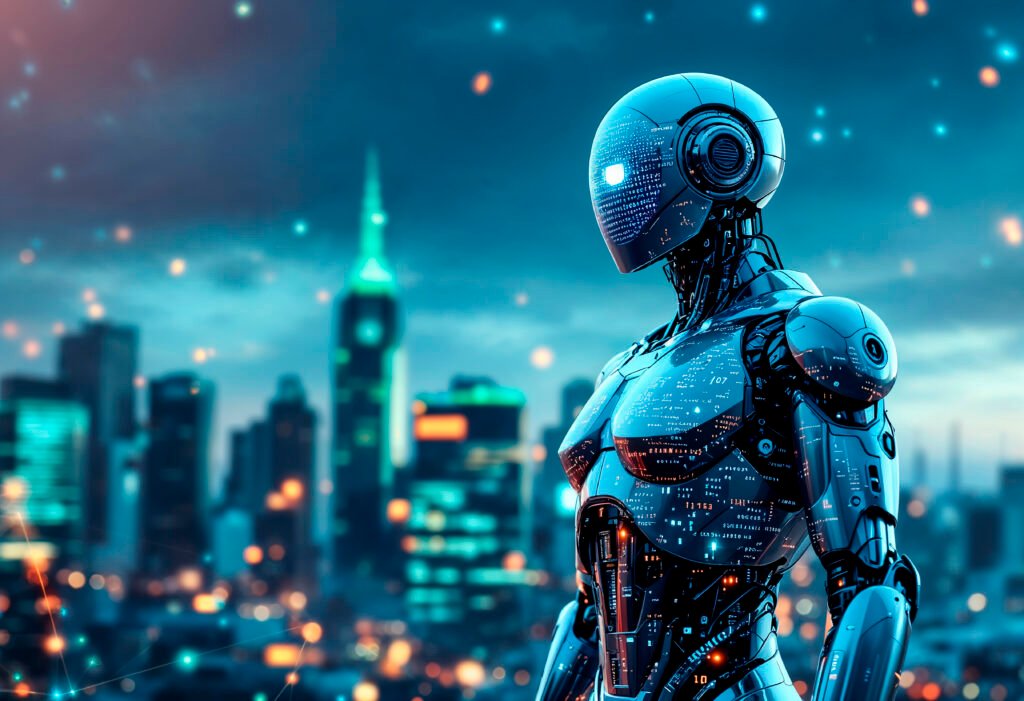
Okay, this one is genuinely fun. The LensGo AI video to anime feature is probably the most viral and talked-about feature on the platform.
Here is what LensGo AI video to anime does:
- You upload any real-life video
- LensGo AI transforms it into anime style, Ghibli style, Pixar style, or other artistic styles
- You download the result
That is it. No frame-by-frame editing. No After Effects. Just upload and transform.
The LensGo AI video to anime feature has become very popular among Indian Instagram Reels creators and YouTube Shorts creators. Imagine filming a 15-second clip of yourself at a café and converting it into a Ghibli-style animated clip. Your followers will go crazy.
The style transfer quality on LensGo AI is surprisingly good. The AI maintains the motion and flow of the original video while applying the new artistic style. The results are not always perfect (sometimes faces look slightly off), but for social media content, they are more than good enough.
Creators in India are already using the LensGo AI video to anime feature to stand out on Instagram and YouTube. If you have not tried it yet, you are missing a trick.
LensGo AI 3D Animation, Serious Creative Power
LensGo AI 3D animation is where things get really interesting for creators who want to go beyond simple images and videos.
LensGo AI 3D animation capabilities include:
- Converting static images into 3D animated scenes
- Adding realistic motion effects to photographs (blinking, hair movement, rain, wind)
- Creating short animated clips from text prompts
- Generating cinematic 3D-style visuals without any 3D software
The LensGo AI 3D animation feature is especially useful for YouTube creators making educational content, storytellers making animated narratives, and marketers making product demos.
Traditionally, creating 3D animation required expensive software like Blender or Maya, plus months of learning. LensGo AI 3D animation removes that barrier completely. You get reasonably good animated output with just a text prompt or an uploaded image.
Is it as good as professional 3D studios? No. But is it good enough for a YouTube channel, an Instagram page, or a college project? Absolutely yes.
For Indian freelancers, the LensGo AI 3D animation feature opens up a new income stream. You can offer basic animated content creation services to small businesses and charge good money for something you create in minutes using LensGo AI.
How to Use LensGo AI Create, Step by Step
The LensGo AI create feature is the heart of the whole platform. Here is a simple walkthrough:
Step 1: LensGo AI Login Go to lensgo.ai and log in with your Google account or email.
Step 2: Choose Your Creation Type On the dashboard, pick what you want to make:
- Text to Image
- Text to Video
- Image to Video (animation)
- Video Style Transfer (video to anime)
- 3D Animation
Step 3: Write Your Prompt Type a description of what you want. Be specific. Instead of “a city,” write “a futuristic Indian city at night with neon lights and rain.” Better prompt = better output.
Step 4: Choose a Style or Model LensGo AI offers multiple style options. Pick the one that matches your vision. Anime, realistic, Ghibli, watercolor, all available.
Step 5: Hit Generate Click generate and wait a few seconds (or up to a minute on the free plan during peak hours).
Step 6: Download or Share Once done, download your creation. Free plan downloads have a watermark. Paid plans give you clean output.
That is the full LensGo AI create workflow. Beginners can do this in under five minutes on their first try.
Who Should Use LensGo AI in India?
LensGo AI is not just for tech people or artists. It is for anyone who creates content or wants to.
These are the people who will benefit the most from LensGo AI:
- Students making project presentations or building creative portfolios
- YouTubers and Reels creators who want eye-catching thumbnails, anime-style clips, and animated intros
- Freelancers offering content creation services to clients
- Small business owners who want good social media visuals without hiring a designer
- Teachers and educators making engaging visual content for classes
- Aspiring animators who want to experiment before investing in heavy software
If you are a student from a Tier-2 or Tier-3 city and you think content creation requires expensive tools or a design degree, LensGo AI is proof that it does not. All you need is a decent internet connection and a good idea.
At CareerGrowKaro, we always say: your location should not limit your learning. LensGo AI is exactly the kind of tool that levels the playing field for Indian creators.
LensGo AI Pros and Cons, Honest Review, No Sugar Coating
Let us be straightforward about what LensGo AI does well and where it falls short.
What LensGo AI Does Well:
- Free plan is genuinely usable (50 credits/day is decent for learning)
- Very easy to use — no technical skills needed
- The video to anime style transfer is impressive
- Works in a browser — no installation needed
- Cloud-based so it does not slow down your computer
- Custom model training is a powerful feature for serious creators
- Good variety of styles and templates
Where LensGo AI Falls Short:
- Free plan has watermarks on downloads
- No mobile app — only works in a browser
- Rendering can be slow during peak hours (especially on free plan)
- Free plan has a 50-point daily limit which can run out quickly if you are experimenting a lot
- Results are sometimes inconsistent with complex or very specific prompts
- No offline mode — needs a stable internet connection (can be tricky in some areas)
- Long-form video creation (tutorials, full music videos) is not possible yet
Overall, for a free tool, LensGo AI delivers genuinely impressive value. The limitations are real but manageable, especially for beginners.
FAQs About LensGo AI
1. Is LensGo AI really free to use?
Yes, LensGo AI has a free plan that gives you 50 credits every day. You can create images and basic videos without paying anything. The main limitation on the free plan is that downloads come with a watermark. If you need watermark-free professional output, the Standard plan at around Rs. 500 per month is the most affordable upgrade.
2. How do I do the LensGo AI login?
Go to lensgo.ai and click Sign Up or Login at the top of the page. You can sign in with your Google account in one click or create an account with your email. The LensGo AI login takes less than two minutes. Once logged in, you go directly to the dashboard where you can start creating.
3. Can I use LensGo AI on my mobile phone?
LensGo AI is web-based and works in any mobile browser. However, there is no dedicated mobile app right now. The website works reasonably well on mobile browsers, though for the best experience, a laptop or desktop is recommended. LensGo AI does not have an offline mode, so a working internet connection is necessary.
4. How does the LensGo AI video to anime feature work?
For the LensGo AI video to anime feature, you simply upload a real video, choose an artistic style (anime, Ghibli, Pixar, etc.), and LensGo AI applies the style to every frame of the video. The result is a stylized animated version of your original clip. Processing time depends on the video length and your plan. Free plan users may experience slower rendering during peak hours.
5. Can I use LensGo AI content commercially?
Yes, content made with LensGo AI can be used commercially after you agree to their terms of service. This makes it useful for freelancers and small businesses making marketing content. However, always review the specific terms on the LensGo AI website before using generated content for paid projects to make sure you understand any limitations.
Final Verdict from CareerGrowKaro
Let us close this out with the clear summary you came for.
LensGo AI is genuinely one of the best free AI content creation tools available in 2026. It packs an impressive and wide-ranging set of features, image generation, video to anime style transfer, 3D animation, custom model training, into a platform that any complete beginner can navigate confidently within half an hour. The free plan is real and meaningfully usable, not a bait-and-switch trial designed purely to push you into a subscription.
The LensGo AI image feature is excellent for social media visuals, thumbnail art, and creative portfolio work. The LensGo AI video to anime feature is genuinely the most viral-worthy thing on the platform and a legitimate differentiator for creators. The LensGo AI 3D animation feature gives you creative capabilities that once required expensive professional tools. And the overall LensGo AI create workflow is simple enough that a student with zero design background can produce content they are proud of on their very first day.
The free plan has a watermark and a daily credit limit. Results are occasionally inconsistent with complex prompts. There is no mobile app yet. These limitations are real. But none of them are serious barriers for anyone starting out.
If you are a student, a freelancer, a small business owner, or simply a curious person who wants to see what AI-powered content creation actually looks and feels like in practice, LensGo AI is the right place to start. The LensGo AI login takes two minutes. Your first creation takes five. The learning curve is nearly flat. And the creative potential that opens up in front of you is genuinely exciting.
At CareerGrowKaro, we believe firmly that every Indian learner deserves access to the best tools and knowledge available, regardless of their city, their college name, or their current bank balance. LensGo AI is exactly the kind of tool that makes that belief feel real. It puts professional-grade creative power in the hands of anyone who has an internet connection and something to say.
Go try LensGo AI today. Create something you are genuinely proud of. Then come back to CareerGrowKaro and figure out how to turn that skill into a career worth building.